
Your phone is your key.
Face ID opens your GVE services and your organisation's messages. No passwords to type or remember.
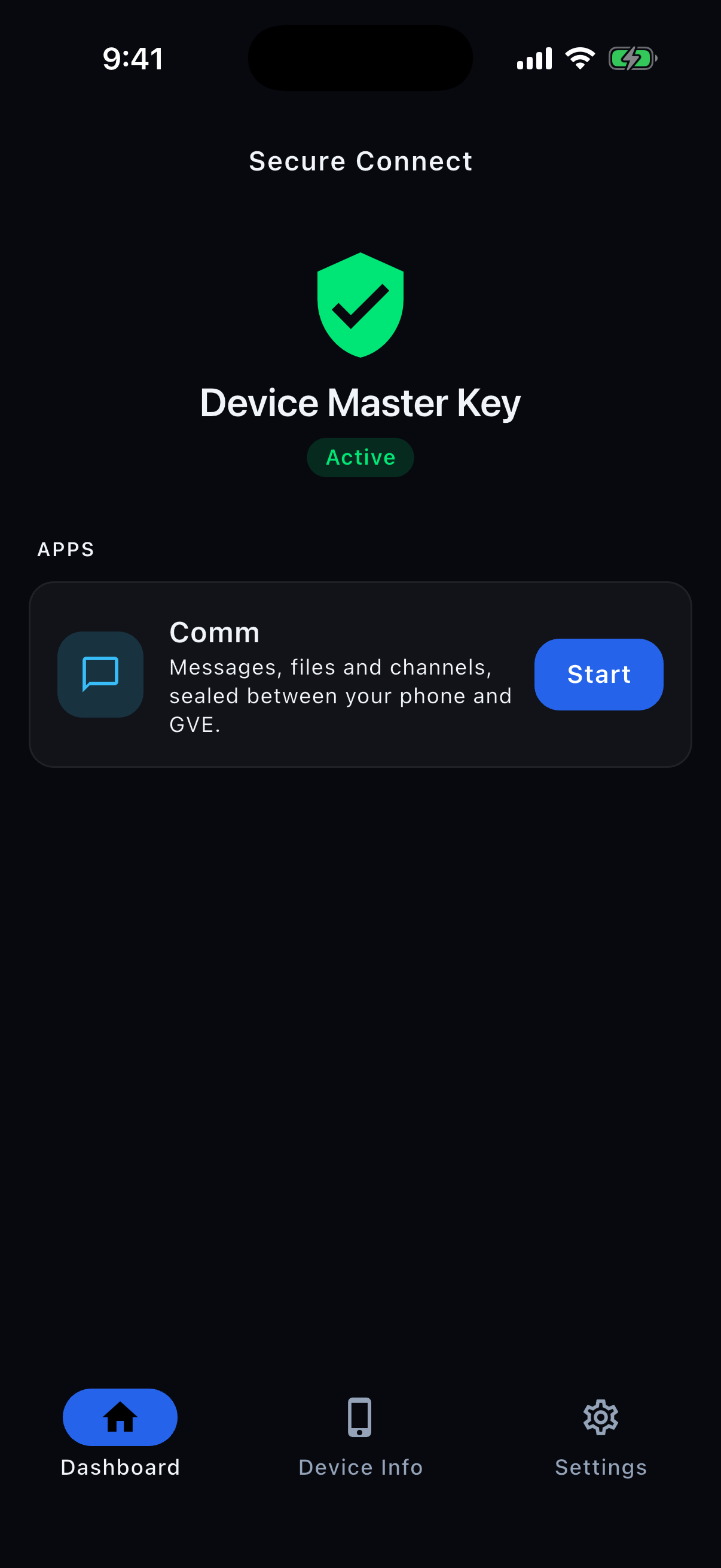
- No passwordsFace ID or Touch ID, and nothing else
- Issued in personApproved by two registrars
- Encrypted with AES-256A fresh key for every session request
PTI, on your device.
PTI Secure Connect is built on PTI, GVE's Provisioned Trust Infrastructure. From the moment your first key is issued, your iPhone and GVE share a set of secret keys. Your access rests on those keys, so you need no passwords or certificates.
Set up in person
Your organisation issues your key in person by NFC or QR code, with approval from two registrars.
Symmetric AES-256
Requests are encrypted with AES-256 and authenticated with HMAC-SHA-256.
A fresh key for every session request
During a session, your iPhone and GVE derive a fresh key for each request from their shared session key. These per-request keys are never transmitted.
Verified before processing
GVE verifies each session request's message authentication code (MAC) and rejects reused or stale request counters before forwarding the request to a service.
Messaging, with no passwords anywhere.
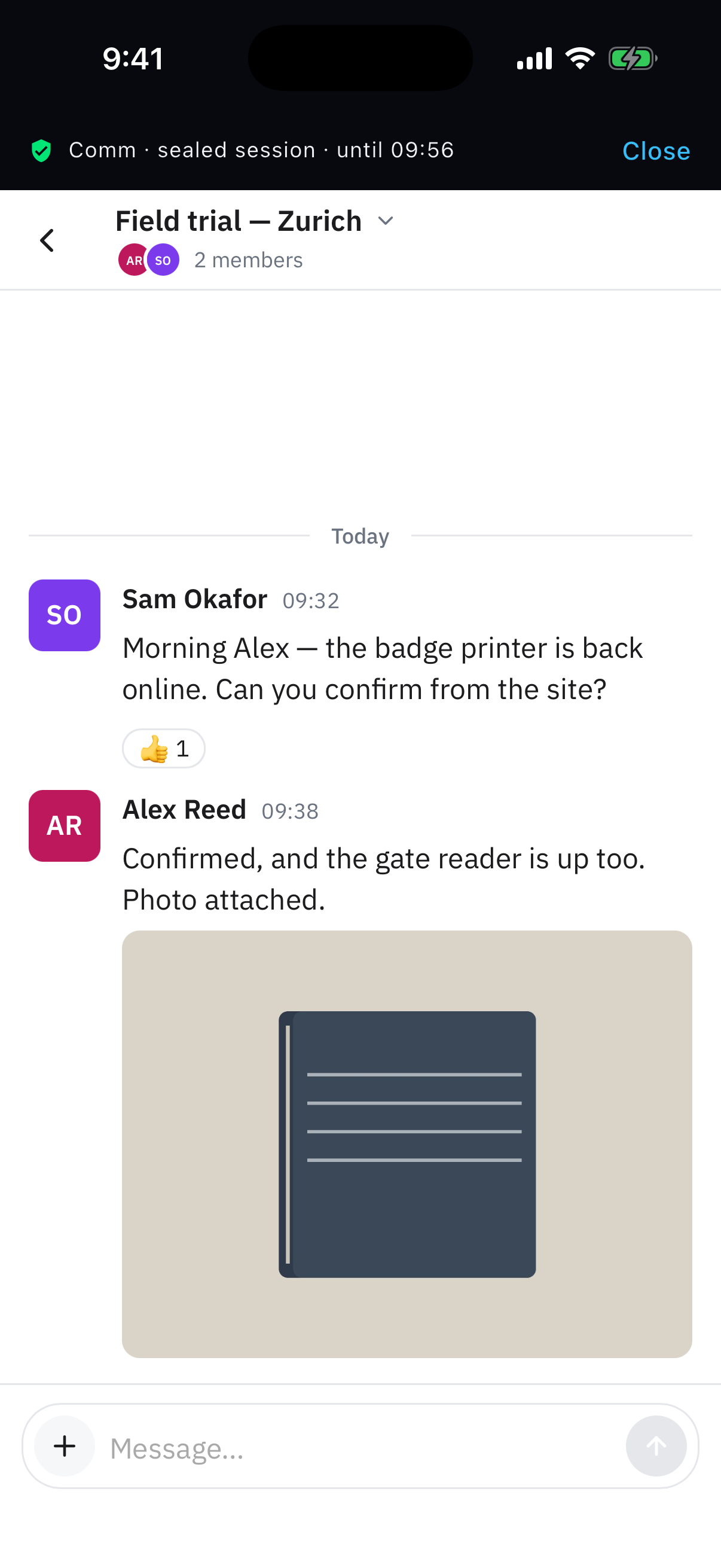
Comm, GVE's messaging service, runs inside the app. Open a session with Face ID or Touch ID to use channels, messages, reactions and text formatting, and share photos and files.
Your key never leaves your phone.
The organisation that provides the service issues the key to your iPhone in a simple, in-person procedure, and two registrars approve it. It lives in the phone's secure hardware, and Face ID unlocks it each time you open a session.
Everything in one app.
See where you stand
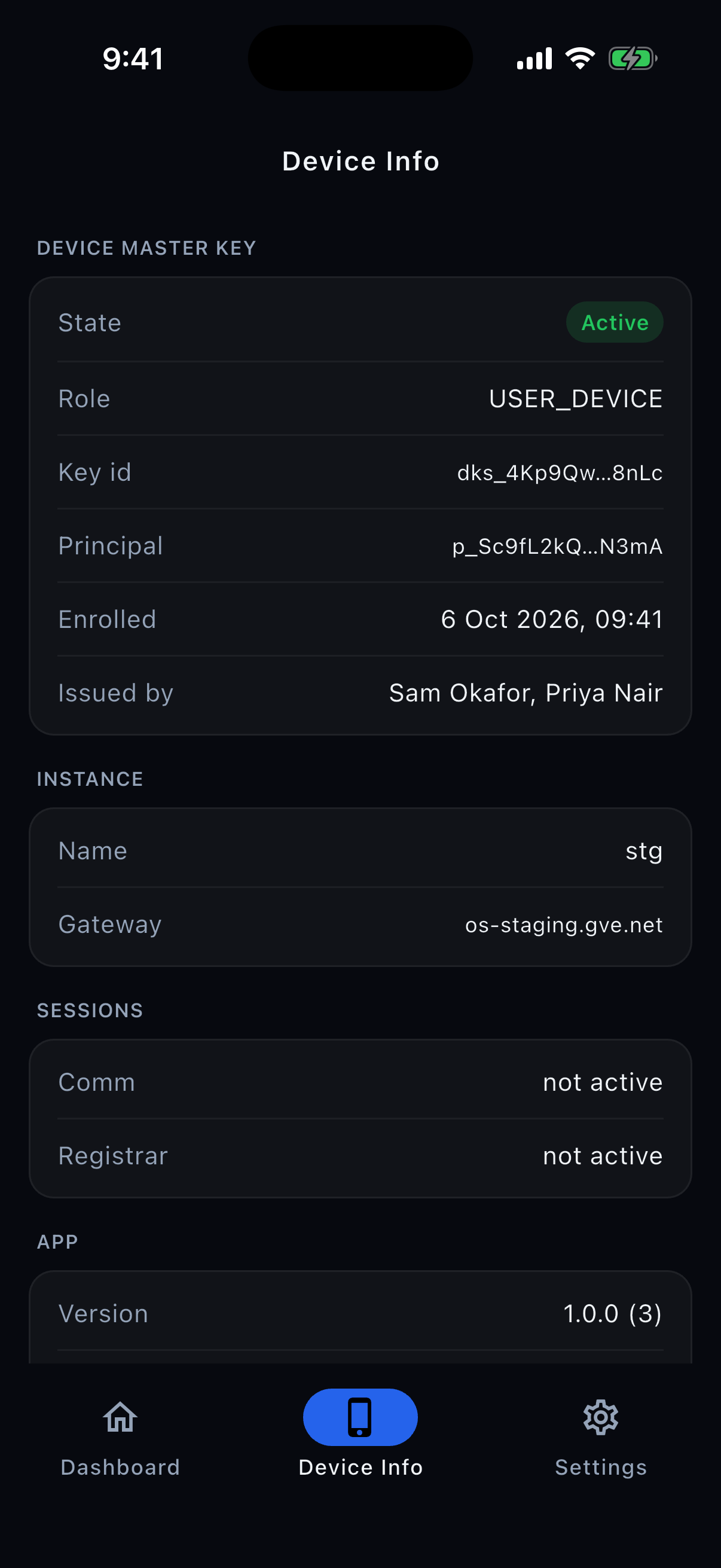
Check the state of your key and the GVE services available to you.
Built for registrars
Issue keys to new phones by NFC or QR code, and approve requests with Face ID.
Your Mac, too
Pair a Mac running GVE Secure Proxy and use GVE services from a desktop browser.
Remove this device
"Remove this device" revokes your phone's key at GVE and deletes the phone's copy. Your account and Comm content remain.
Three steps to work.
Get your key
Your organisation's registrar issues a key to your iPhone by NFC or QR code, and a second registrar approves it.
Unlock with Face ID
The key stays in your iPhone's secure hardware. Face ID unlocks it whenever you open a session.
Get to work
Open Comm and your GVE services. Each request in the session is encrypted and authenticated with keys derived from the session key.
Private by design.
- No ads, no tracking, no in-app purchases.
- The app creates no account. Your organisation opens your account and issues your key.
- Messages are encrypted in transit and at rest under keys GVE holds, and photos and files under Amazon S3's server-side encryption.
- Comm is not end-to-end encrypted. The privacy policy says exactly what is kept, and for how long.
What you need.
- An iPhone with Face ID or Touch ID set up. iPhone 12 or newer is recommended; there is no passcode fallback.
- A key issued by your organisation on GVE OS.
Ready when your organisation is.
Ask your organisation's registrar for a key, then get PTI Secure Connect on the App Store.
スマホが、
あなたの鍵。
GVEのサービスも、組織のメッセージも、Face IDで開けます。パスワードを入力したり、覚えたりする必要はありません。
- パスワードなしFace IDかTouch IDだけで開く
- 対面で発行2名のRegistrar(鍵の発行担当者)が承認
- AES-256で暗号化セッション内のリクエストごとに新しい鍵
PTIを、
あなたのデバイスに。
PTI Secure Connectは、GVEのProvisioned Trust Infrastructure(PTI)を基盤としています。最初の鍵が発行された時点から、iPhoneとGVEは複数の秘密鍵を共有します。アクセスにこれらの鍵を使うため、パスワードや証明書は不要です。
対面で発行
組織がNFCまたはQRコードを使って対面で鍵を発行し、2名のRegistrarが承認します。
AES-256の対称鍵
リクエストの暗号化にはAES-256、認証にはHMAC-SHA-256を使います。
セッション内のリクエストごとに新しい鍵
セッション中は、iPhoneとGVEが共有するセッション鍵から、リクエストごとに新しい鍵を導出します。リクエスト用の鍵をネットワーク経由で送ることはありません。
処理の前に検証
GVEは、セッション中のリクエストをサービスに転送する前に、メッセージ認証コード(MAC)を検証します。使用済みまたは古すぎる番号のリクエストは拒否します。
パスワードのない
メッセージング
GVEのメッセージサービスCommを、アプリ内で利用できます。Face IDまたはTouch IDでセッションを開始すると、チャンネルでのやり取り、リアクション、メッセージの書式設定、写真やファイルの共有ができます。
鍵は、iPhoneから出ません。
鍵は、サービスを提供する組織が対面による簡単な手続きであなたのiPhoneに発行し、2名のRegistrar(鍵の発行担当者)によって承認されます。鍵はiPhoneのセキュアハードウェアに保管され、セッションを開くたびにFace IDでロックを解除します。
ひとつのアプリで、すべて。
状態をすぐに確認
鍵の状態と、使えるGVEのサービスを確認できます。
鍵の発行・承認にも対応
Registrarは、NFCやQRコードで新しいiPhoneに鍵を発行し、申請をFace IDで承認できます。
Macからも
GVE Secure Proxyが動いているMacとペアリングすれば、デスクトップのブラウザからGVEのサービスを使えます。
端末の登録を解除
「Remove this device」で、GVE側の鍵を失効させ、iPhone内の鍵を削除します。アカウントとCommの投稿は残ります。
使い始めるまで、3ステップ。
鍵を受け取る
組織のRegistrarが、NFCかQRコードであなたのiPhoneに鍵を発行し、もう1人のRegistrarが承認します。
Face IDで開く
鍵はiPhoneのセキュアハードウェアに保管されます。セッションを開くたびに、Face IDでロックを解除します。
そのまま仕事へ
CommやGVEのサービスを使えます。セッション中のリクエストは、セッション鍵から導出した鍵で暗号化し、認証します。
プライバシーを前提に設計
- 広告、トラッキング、アプリ内課金はありません。
- アプリはアカウントを作りません。アカウントの開設と鍵の発行は、あなたの組織が行います。
- メッセージは、通信中も保存中もGVEが保持する鍵で暗号化されます。写真とファイルは、Amazon S3のサーバー側暗号化で保護されます。
- Commはエンドツーエンド暗号化ではありません。何をどれだけの期間保持するかは、プライバシーポリシーに記載しています。
必要なもの
- Face IDまたはTouch IDを設定したiPhone。iPhone 12以降を推奨します。パスコードによる認証には対応していません。
- GVE OSを利用する組織が発行した鍵。
鍵を受け取ったら、すぐに使えます。
まず組織のRegistrarに鍵の発行を依頼し、App StoreからPTI Secure Connectを入手してください。